Open source · Apache-2.0
The headless workflow engine you drive from code.
Design processes on a visual canvas or as JSON, put people in the loop with typed tasks, connect any API — then run, change and watch all of it from the REST API, the MCP server or the CLI. Self-host it or use the cloud.
npm install -g @usertasks/cli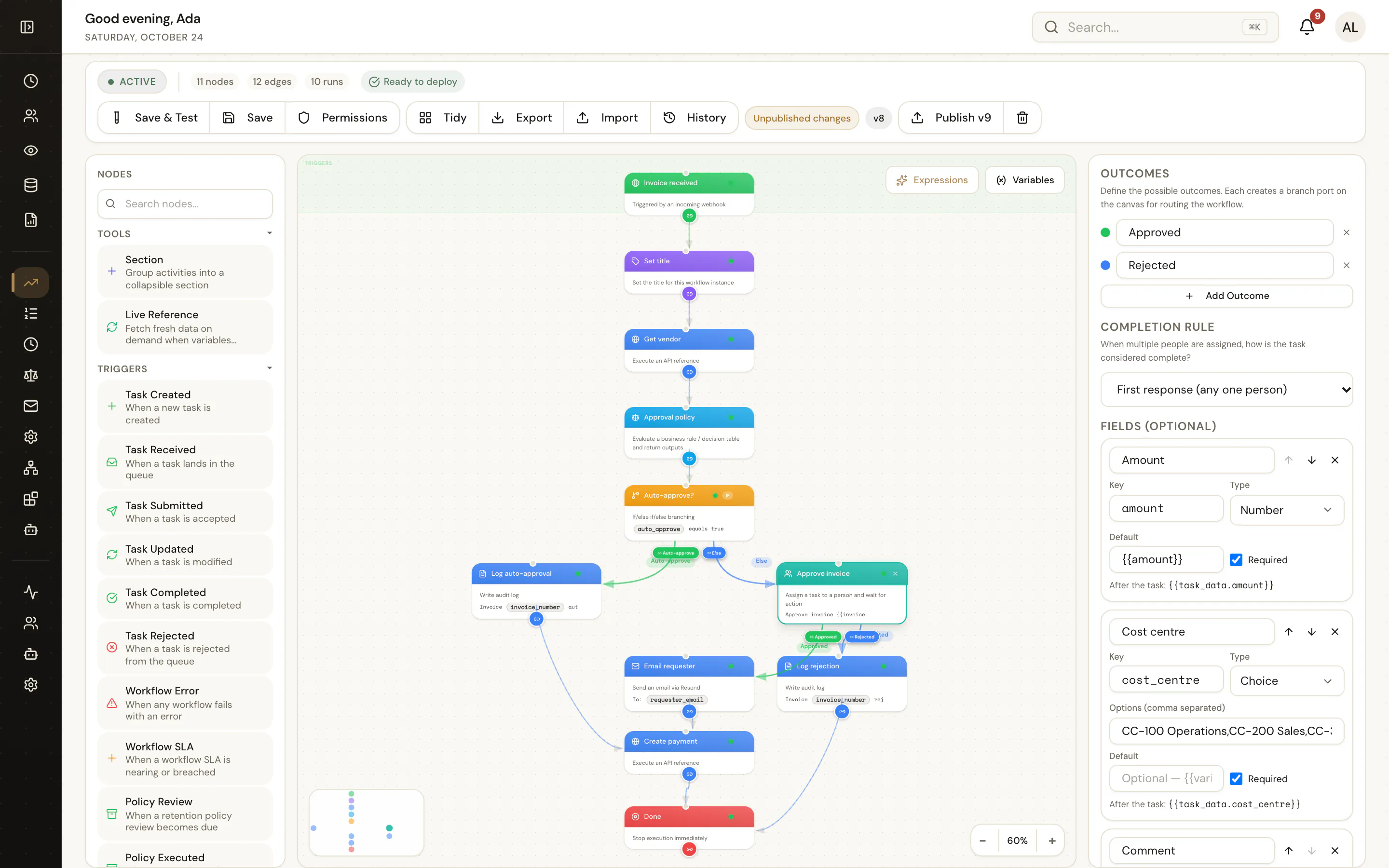
- API-first: every screen is an endpoint, described by OpenAPI 3.1
- A command for every operation, plus config as code
- Every run, call and change in one exportable event stream
Use cases
What teams build on it.
Human steps inside your own apps, approvals you can prove, agents with a person in the loop, an integration hub — and a home for workflows moving off SharePoint, Nintex or K2.
Headless task management
Human tasks and approvals inside your own app
Approvals and human steps inside your own portal or React app, with typed fields, outcomes, queues and SLAs behind an API.
Read the use caseApprovals and compliance
Multi-step approvals you can prove
Finance, HR and procurement approvals with approval matrices, SLAs, escalation, audit trails and retention.
Read the use caseAI agent orchestration
AI agents as workflow steps, with a person in the loop
Agents as governed workflow steps with granted tools, structured outputs, human review and full run history.
Read the use caseMiddleware and integration hub
One place for webhooks in, transforms and calls out
Webhooks in, transforms, decision-table routing and API or database calls out — with retries, log export and config as code.
Read the use caseSharePoint workflow replacement
Replacing SharePoint 2010 and 2013 workflows
Microsoft has retired SharePoint 2010 and 2013 workflows in SharePoint Online. Rebuild approvals and list workflows on an engine you control.
Read the use caseNintex migration guide
Moving Nintex workflows to UserTasks
A neutral concept map and migration plan for Nintex workflows, forms, tasks, connectors and rules.
Read the use caseK2 migration guide
Moving K2 applications to UserTasks
A neutral concept map and migration plan for K2 SmartForms, workflows, worklists and SmartObjects.
Read the use case All use casesBrowse themEverything from the CLI
Create, update, delete and monitor — from your terminal or CI.
usertasks talks only to the public API, so it obeys the same permissions as any client. Log in with your browser or an API key, keep profiles for dev and prod, and pipe JSON into the rest of your tools.
Create
Create anything from a file
Every REST operation is a command. Send JSON or YAML with -f, or set fields inline.
usertasks workflows create -f invoice-approval.json
usertasks email-templates create --set name="Invoice approved" \
  --set subject="Invoice {{invoice_number}} approved" --set html_body=@approved.html
usertasks log-destinations create -f splunk.json
Update
Edit workflows in your editor
Pull the draft as JSON, change it, push it back and publish. Runs keep the old version until you do.
usertasks workflows definition <id> -o json > wf.json
$EDITOR wf.json
usertasks workflows update <id> -f wf.json
usertasks workflows publish <id> --set notes="CFO step over 50k"
Delete
Clean up safely
Destructive commands confirm on a terminal and take --yes in scripts. Deletions check dependencies first.
usertasks roles delete <id>
usertasks references bulk-delete --set ids:='["…","…"]' --yes
usertasks api-keys revoke <id> --yes
Monitor
Watch it run
Tail the live event stream with filters, list failed runs, check log shipping.
usertasks logs tail --category workflow --severity warn
usertasks runs list --status failed
usertasks log-destinations status <id>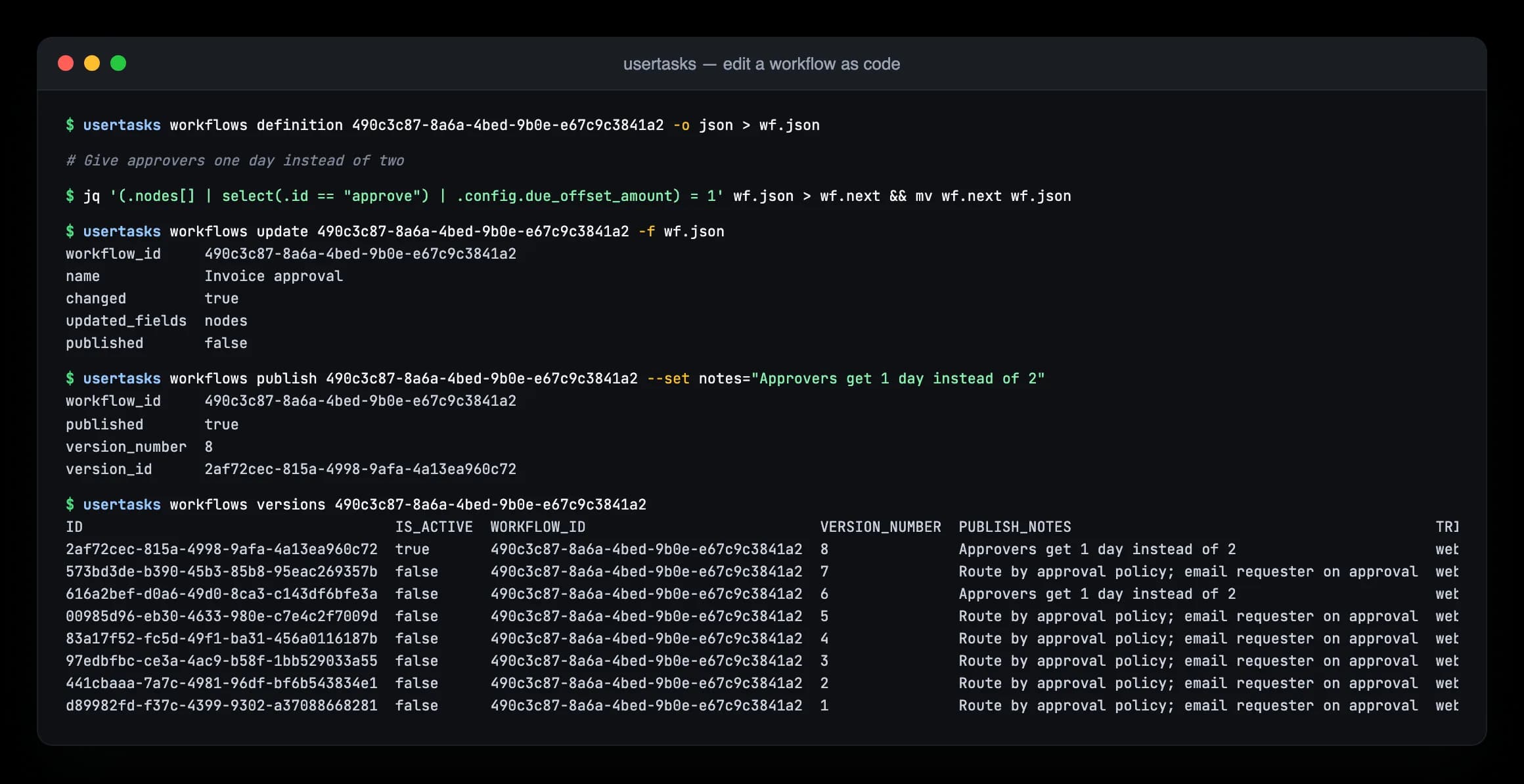
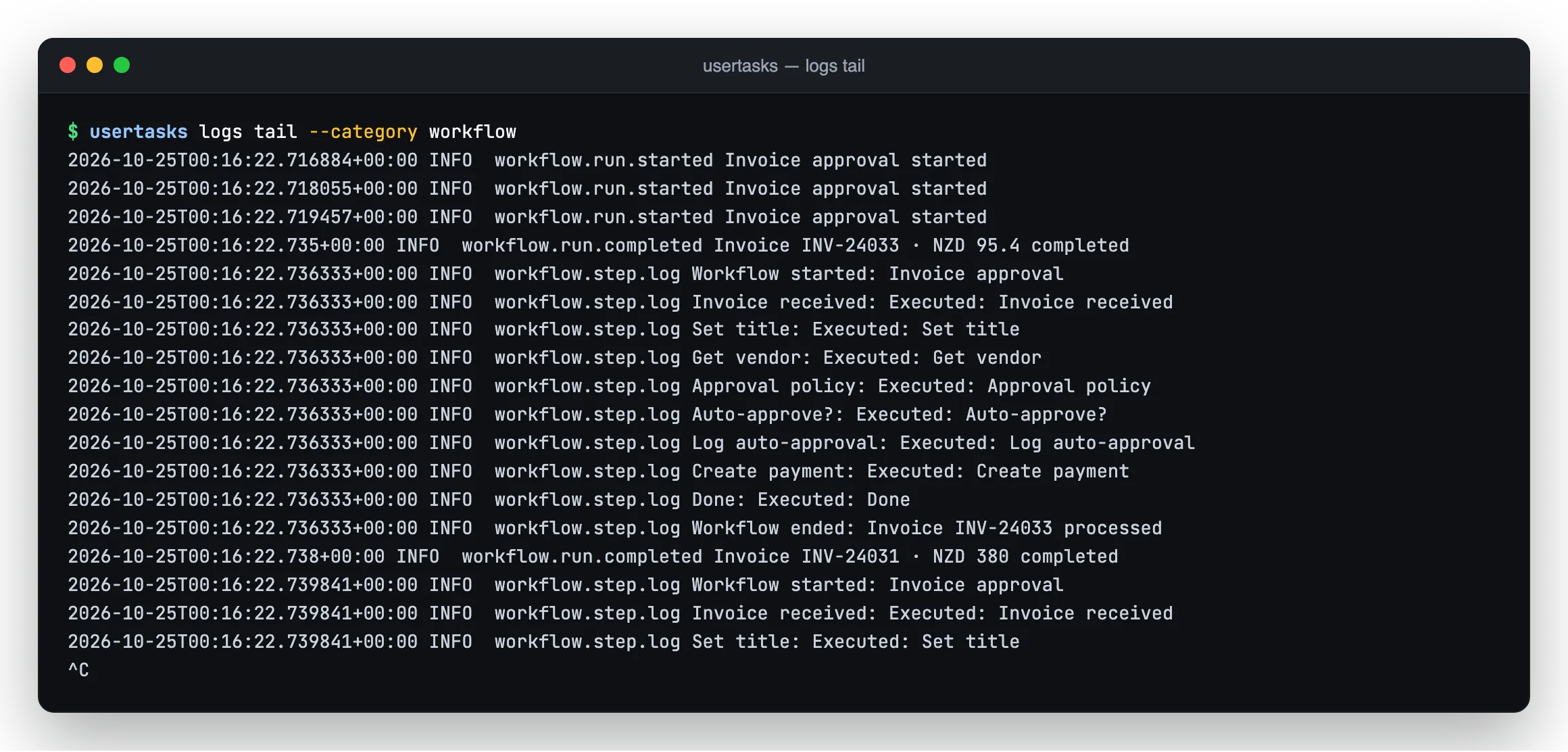
logs tail following runs as they happen.CLI guide · Every command · Recipes: dev → prod, CI, monitoring
Ship logs anywhere
Your workflows, in the log platform you already use.
Run transitions, step logs, integration calls, agent runs, task changes, audit and security events — one normalised stream, delivered at least once, usually within seconds. No request bodies, prompts or secrets ever leave.
- Splunk HECHTTP Event Collector, index and sourcetype
- Datadog LogsEvery site, tags and facets out of the box
- OpenTelemetryOTLP/HTTP to any collector or vendor
- WebhooksSigned HTTPS batches (HMAC-SHA256)
- Live tailServer-Sent Events, the CLI and the SDK
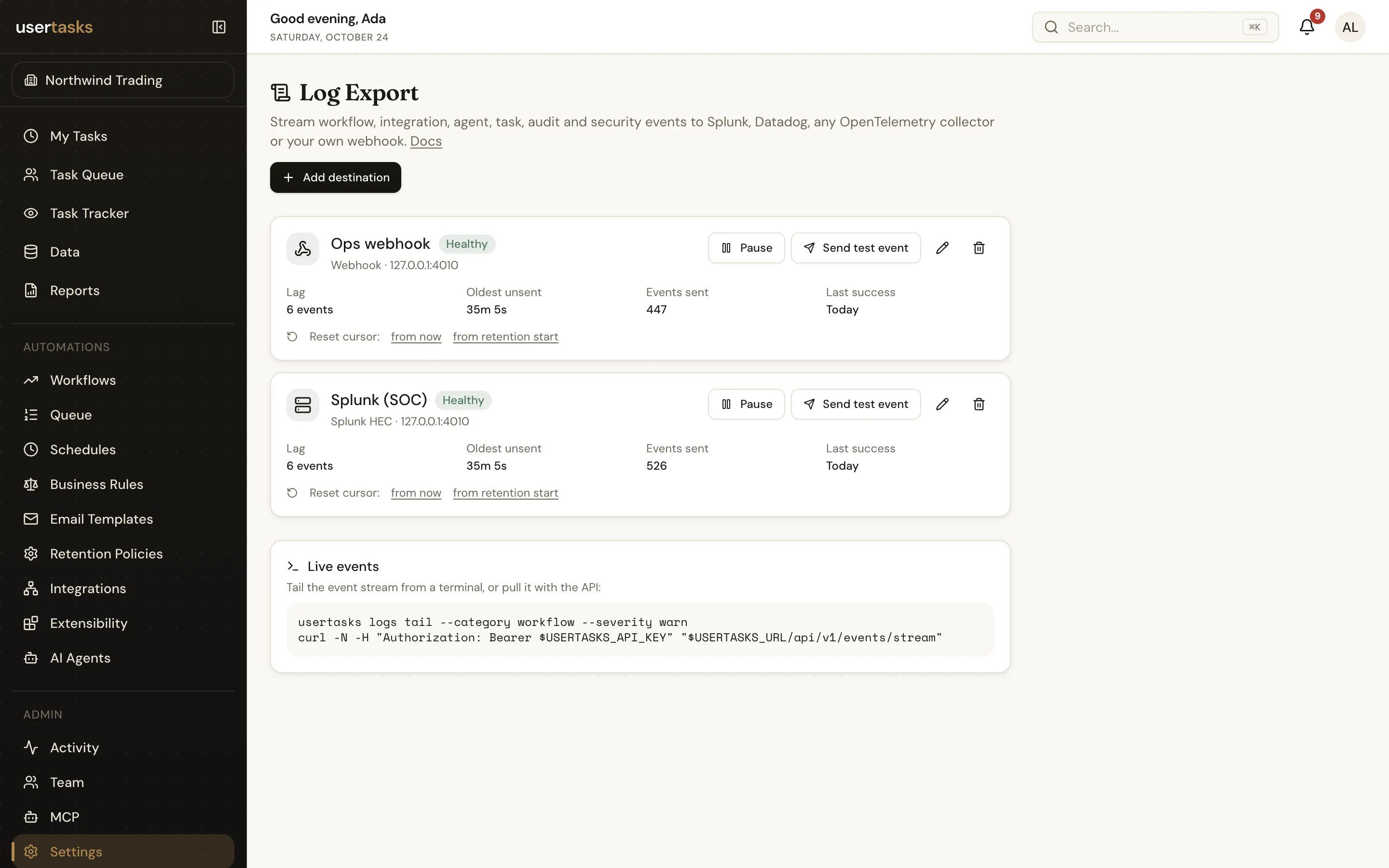
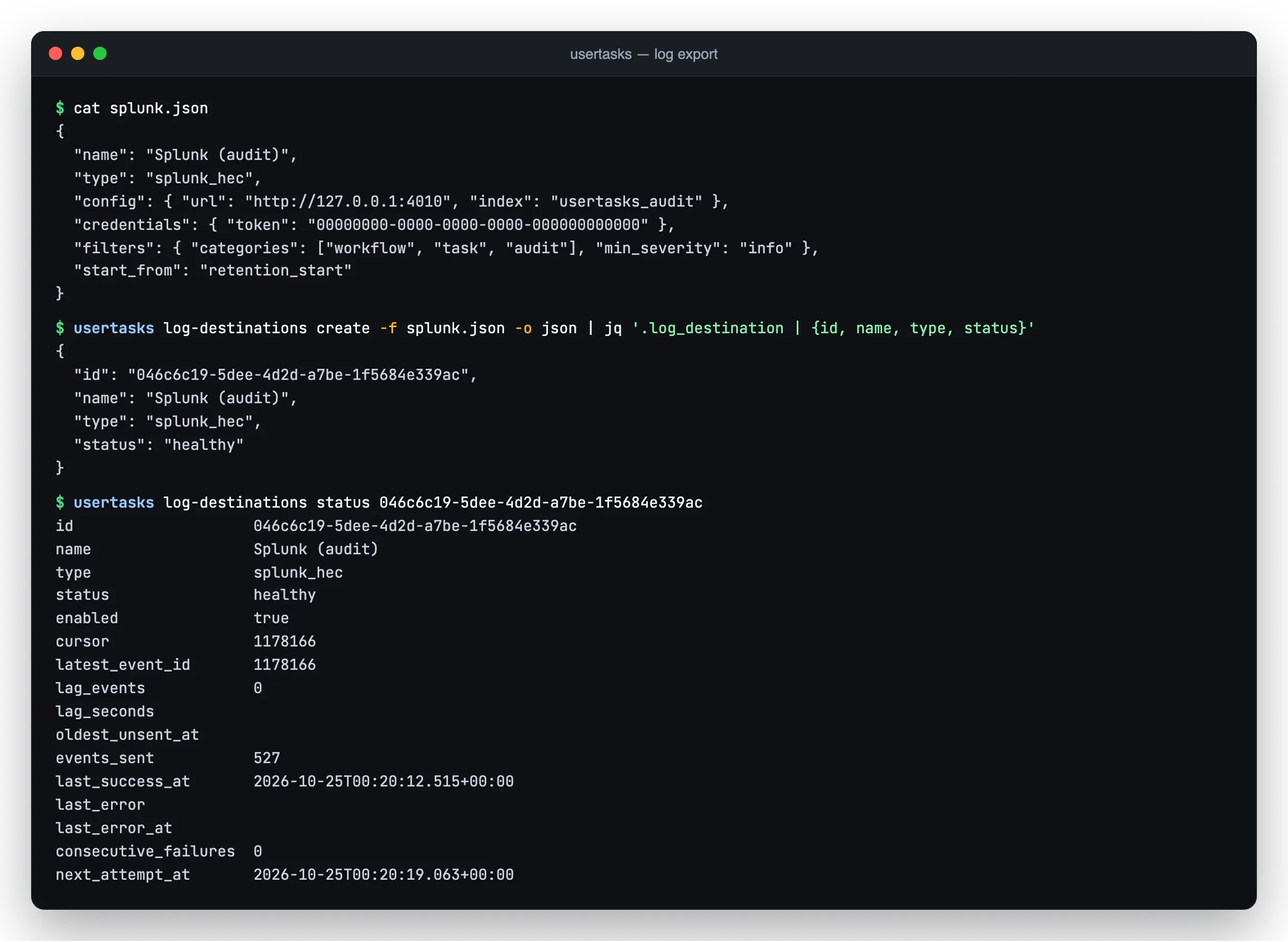
- Filters by category, type glob, severity and workflow
- Send-test button, lag and last-error per destination
- Pull API with a cursor and an SSE stream for your own consumers
The engine
Everything a real process needs, nothing it doesn't.
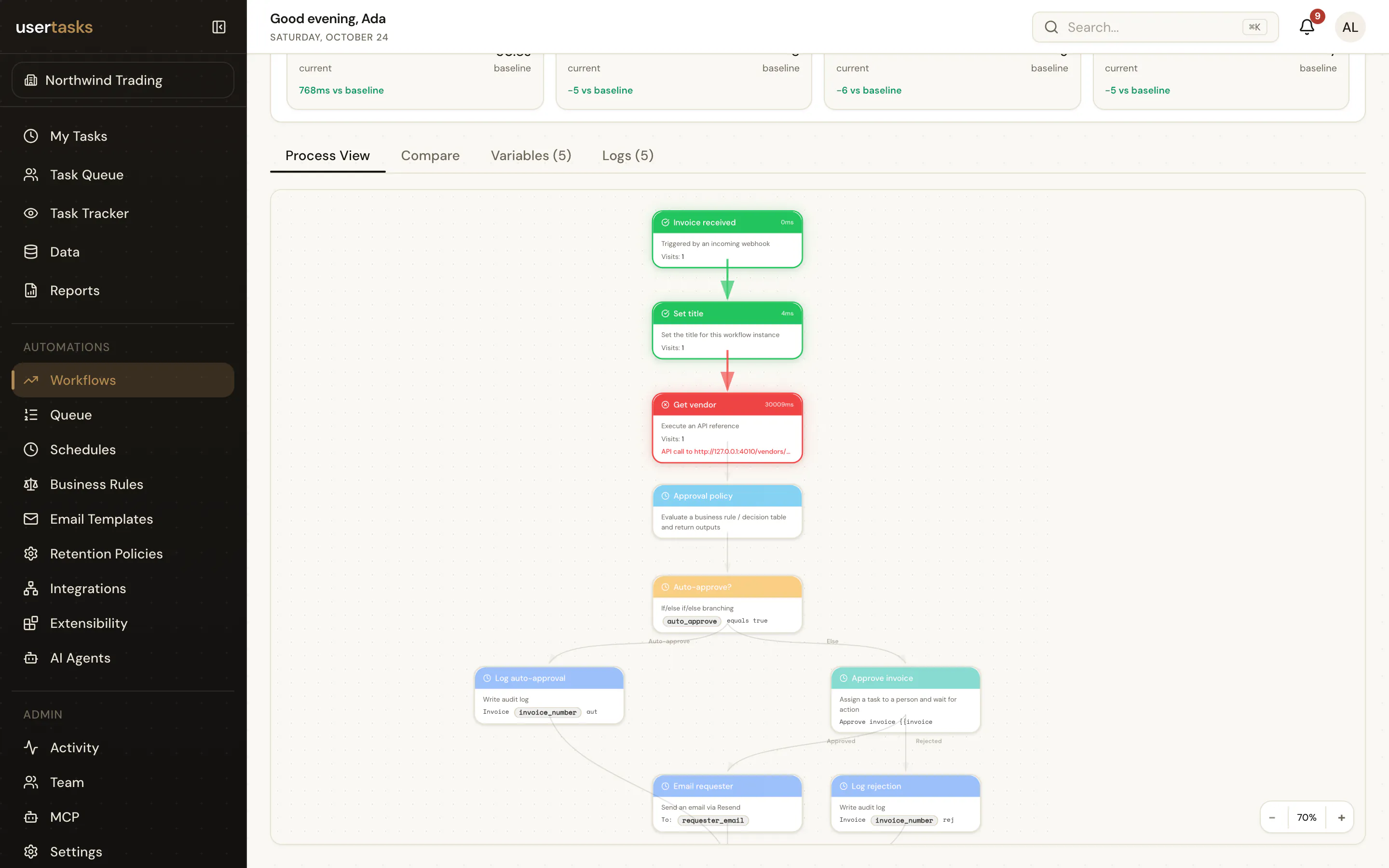
Workflows
72 node types: triggers, branches, loops, parallel paths, waits, sub-workflows, documents and error handling. Durable runs with a full step history.
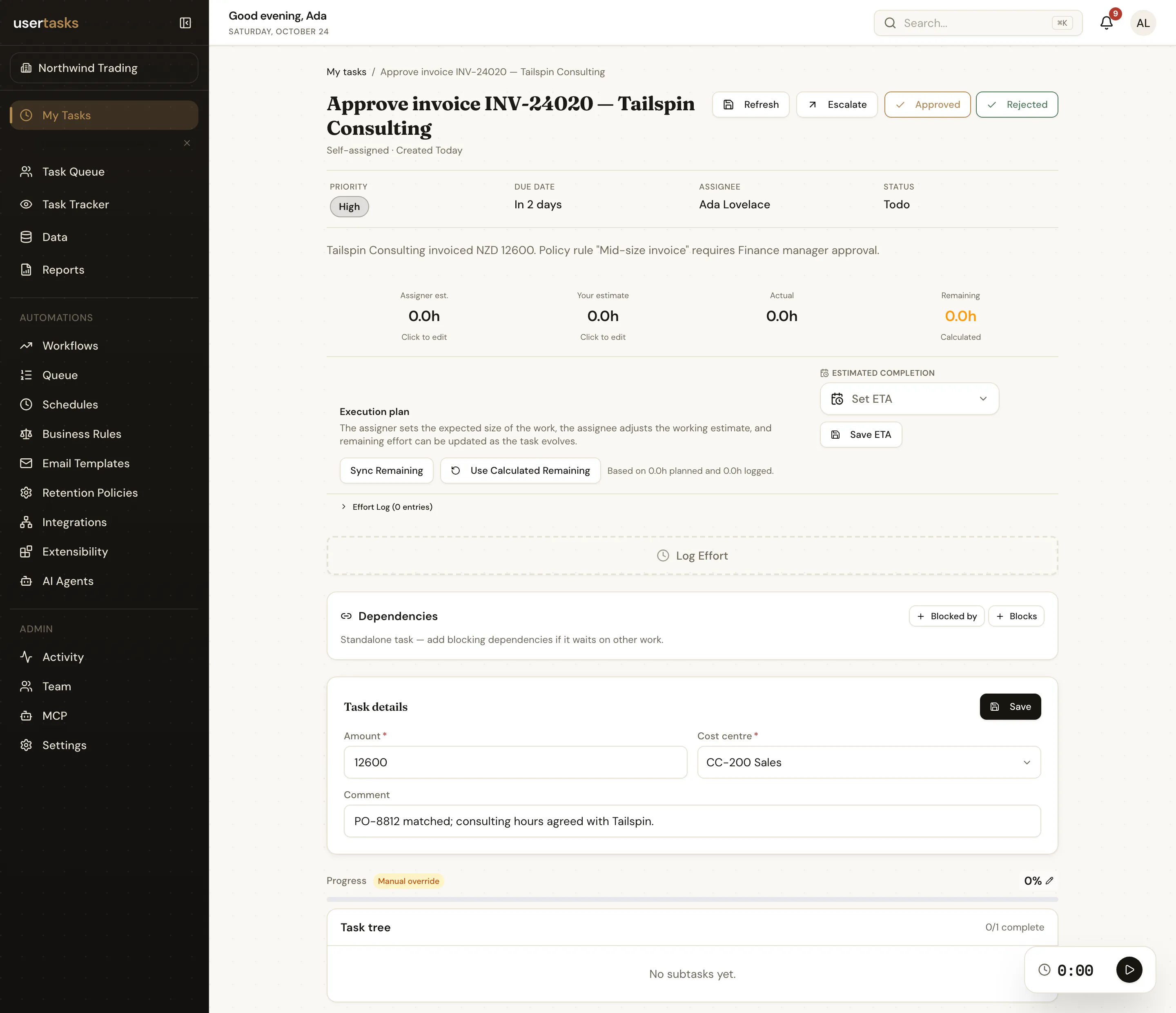
Human tasks
User Tasks with typed fields and outcomes, queues, SLAs, reminders, escalation and multi-assignee rules — in our task list or your own UI.
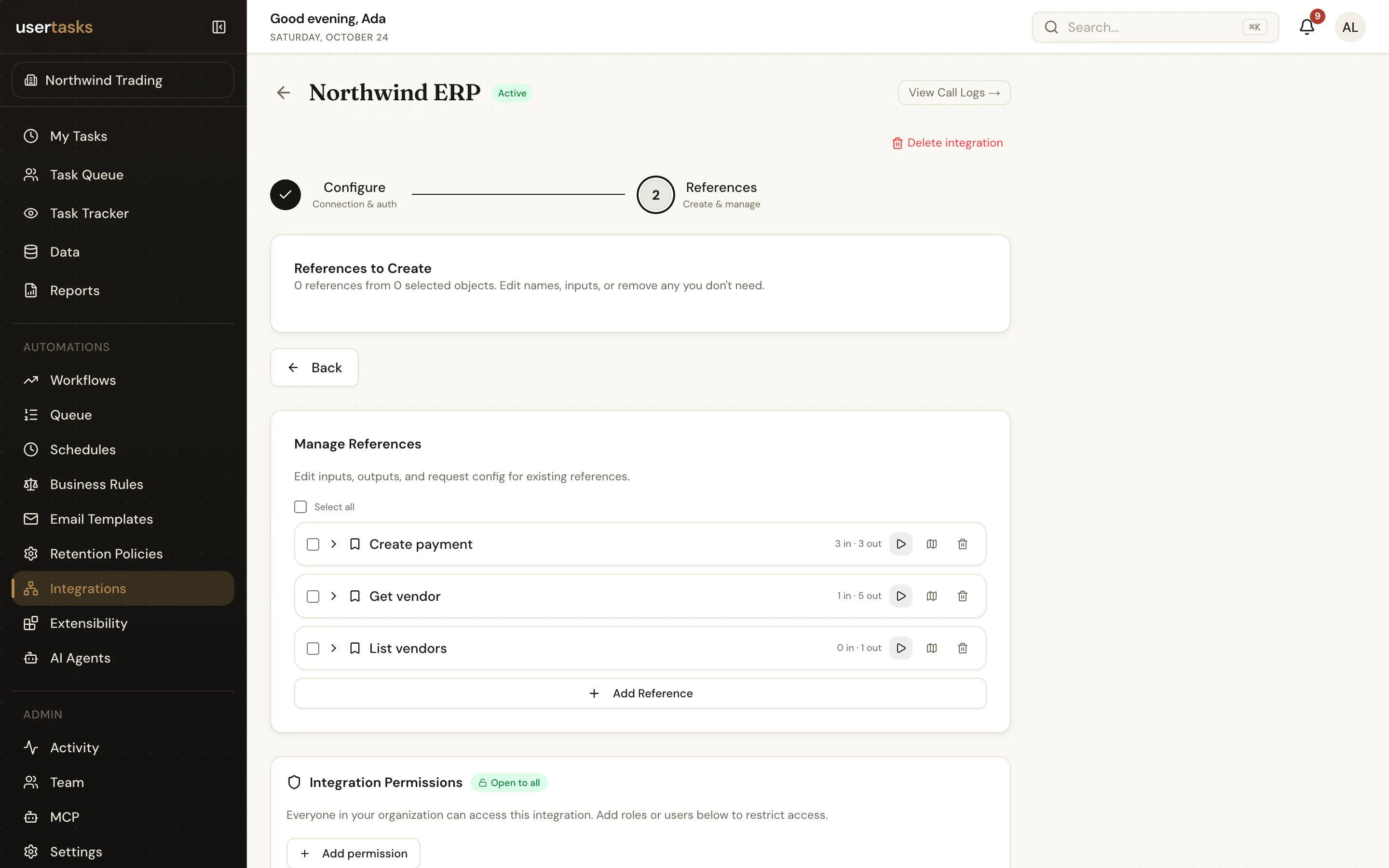
Integrations
REST, OData, webhooks and databases with encrypted credentials, OAuth, OpenAPI import and pre-built connectors.
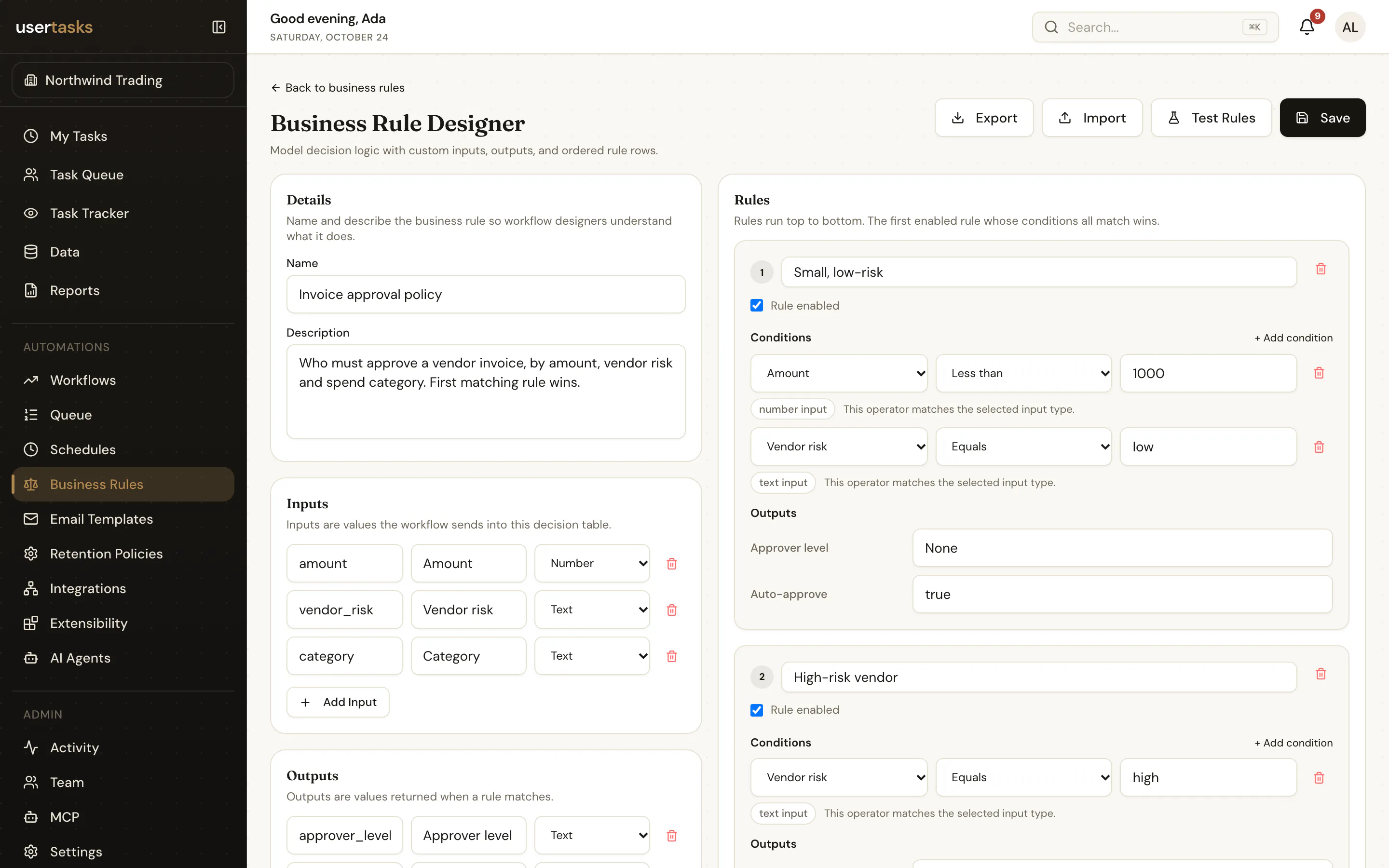
Decision tables
Ordered, typed business rules your analysts can change without touching a workflow. Testable from the API.
AI agents, optional
Agents on any OpenAI-compatible model with granted tools, structured outputs and traces. Leave them off if you don't need them.
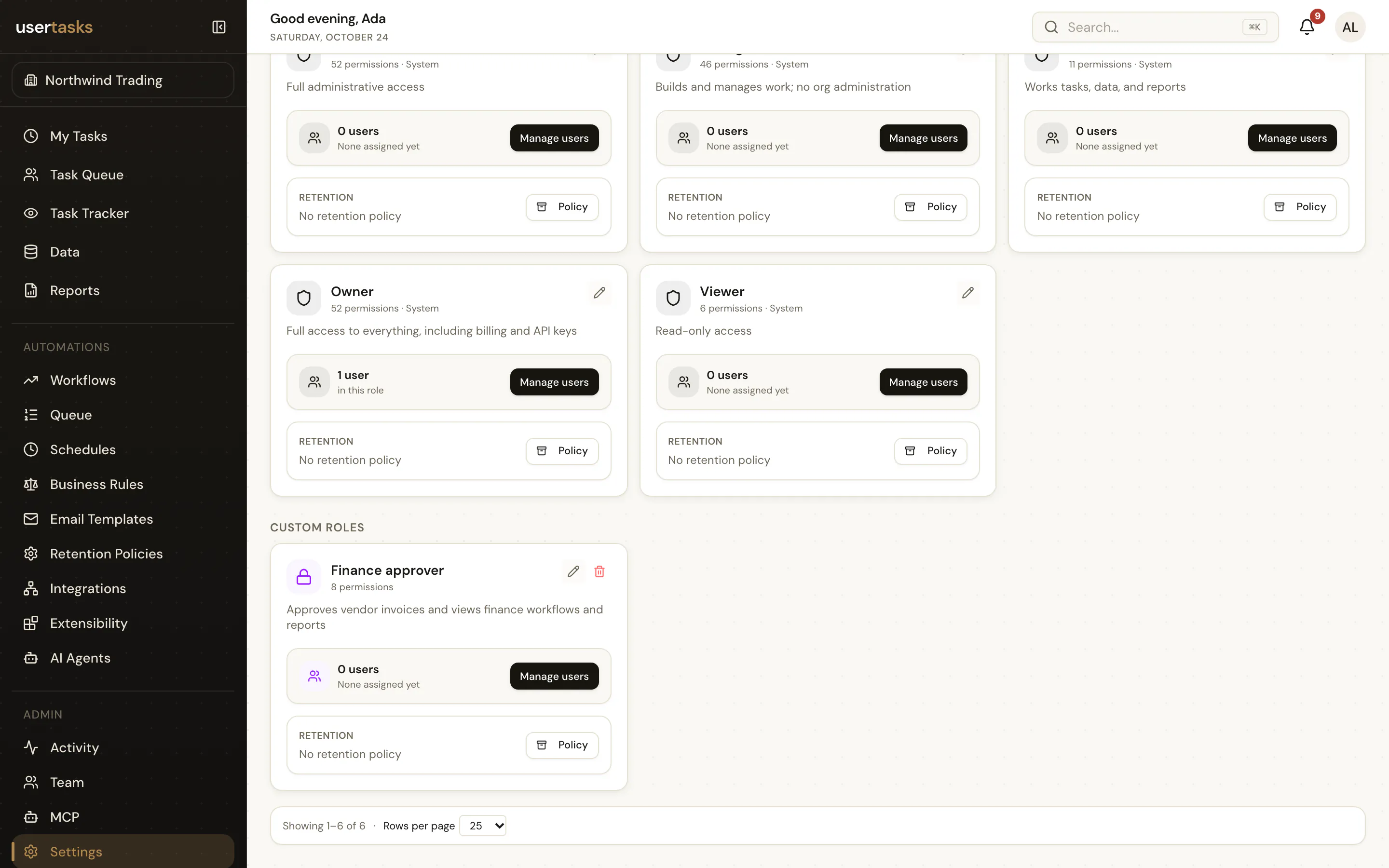
Governance
Roles and fine-grained permissions, scoped API keys, OAuth, SSO and directory sync, audit, retention and a deletion queue.
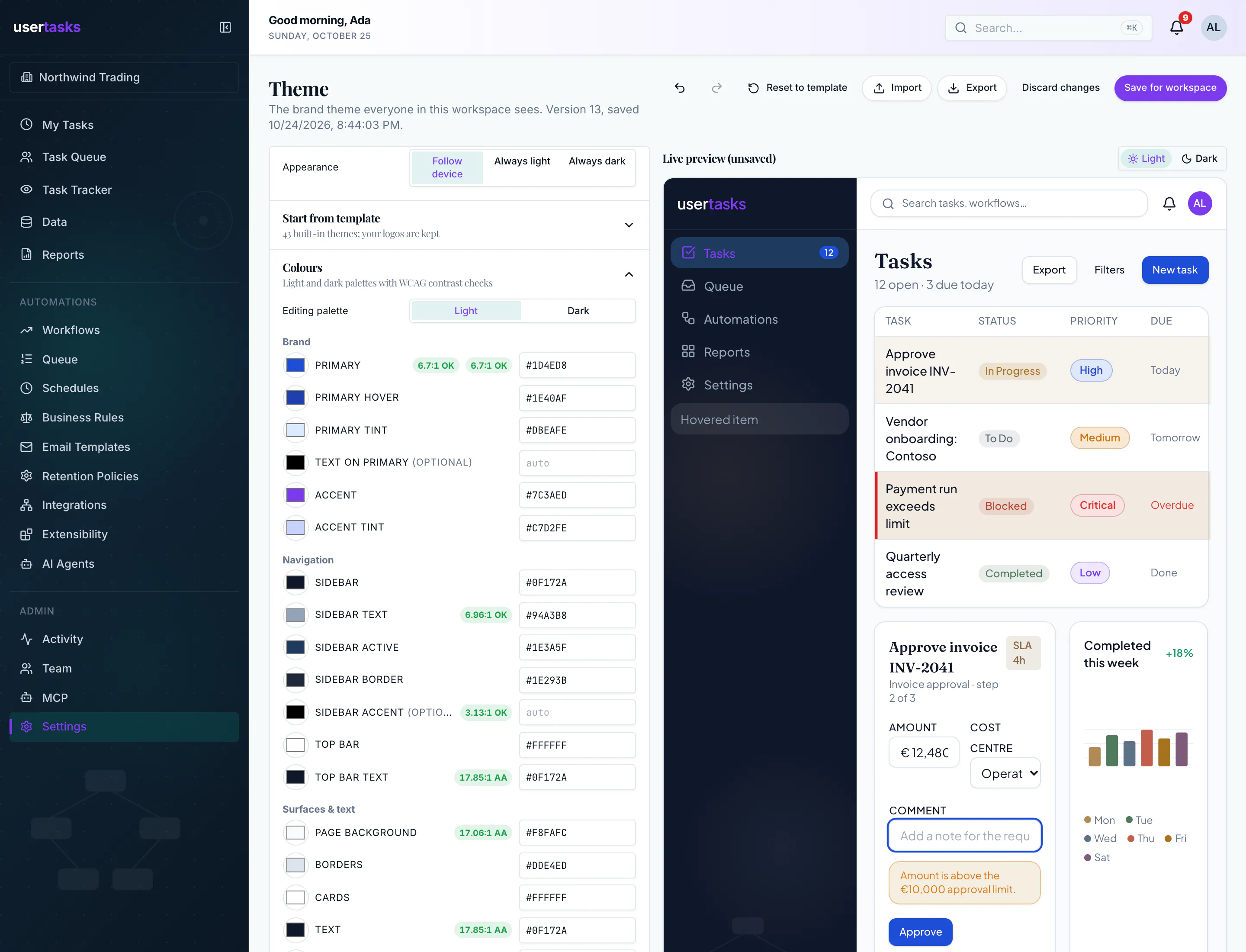
Your brand
One workspace theme: colours for light and dark, fonts (or your own woff2), shape, density and logos — designed with a live preview, or set from the API, CLI and config as code.
Config as code
Review processes like code. Promote them like code.
Export a workspace to files, review the change in a pull request, diff it against production and apply it. Secrets stay out of Git. Or let GitHub sync commit every change and deploy pinned commits for you.
usertasks --profile dev config export ./config
git commit -am "Invoice approval v2"
usertasks --profile prod config diff ./config --exit-code
usertasks --profile prod config apply ./config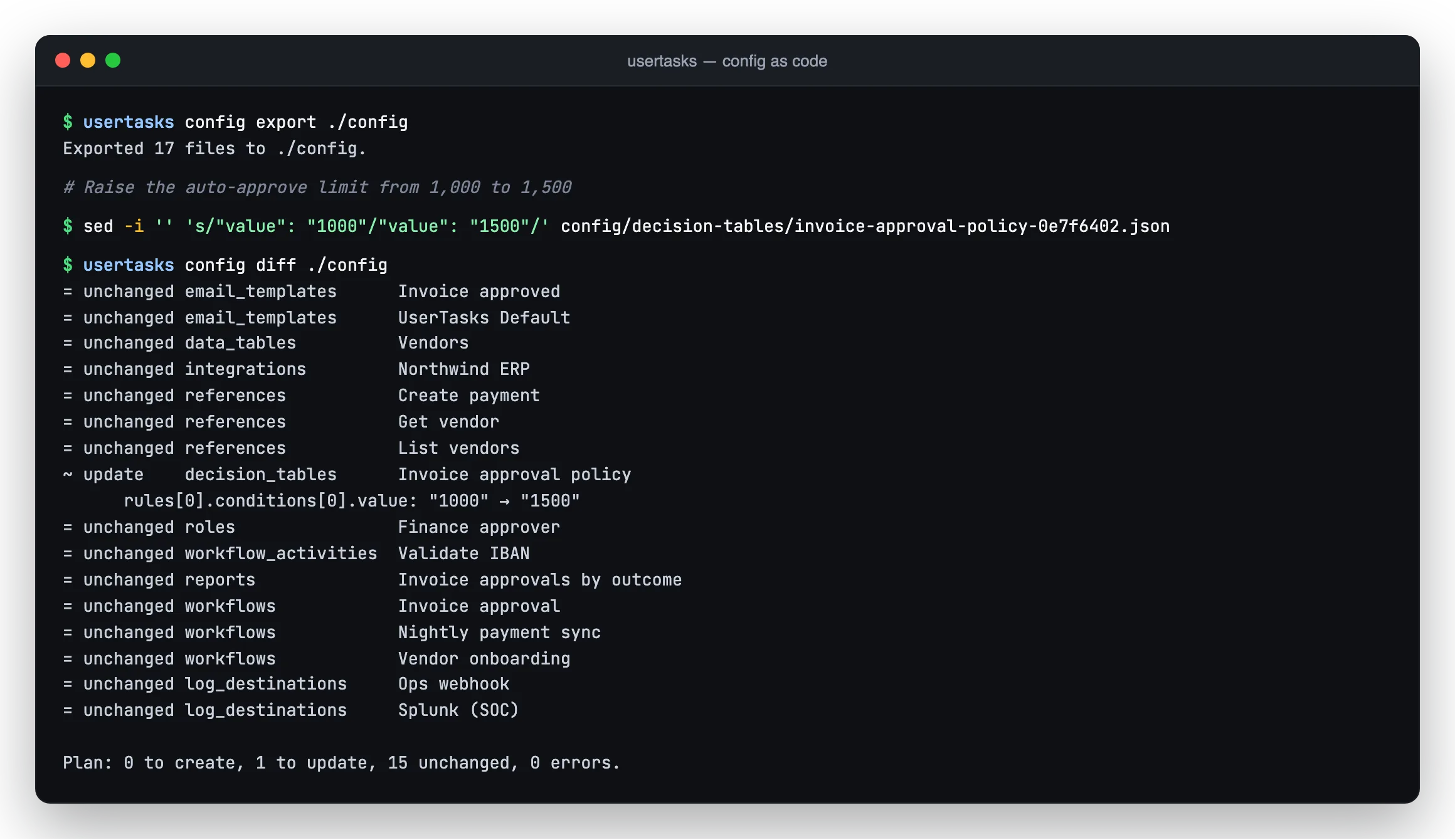
Performance
A fast execution engine.
Single-digit-millisecond API and MCP calls, a queue that clears hundreds of runs a second, and expressions evaluated in about a microsecond — so the engine is never the slow step in your process.
- REST API responses
- 4–8 ms
- MCP tool calls
- 3–5 ms
- 200 queued workflows, start to finish
- < 1 s
- Evaluating a template expression
- ~1 µs
- A member’s task list, row-level security applied
- ~40 ms
Medians measured on our benchmark (app and database on one machine). Your numbers depend on network and hosting — see /docs/performance.
Run it your way
Same code, two ways to run it.
Self-hosted
Apache-2.0. Start on Supabase with zero extra configuration, then move each area — database, auth, storage, email, secrets — to AWS, Azure, Google Cloud or your own servers. Docker image included.
- Your data stays where you put it
- One reversible usertasks-admin switch per area
- Fully on-premises and air-gapped when you need it
Cloud
The same engine at usertasks.com, run and upgraded by the team that builds it.
- Nothing to install — start in the browser
- Same API, MCP server, CLI and docs
- Move to self-hosting any time with config as code
Start with the docs. Ship with the CLI.
Every node, function, permission, MCP tool and command is documented — generated from the code, so it matches what you run.
Open source (Apache-2.0) — source release coming at launch